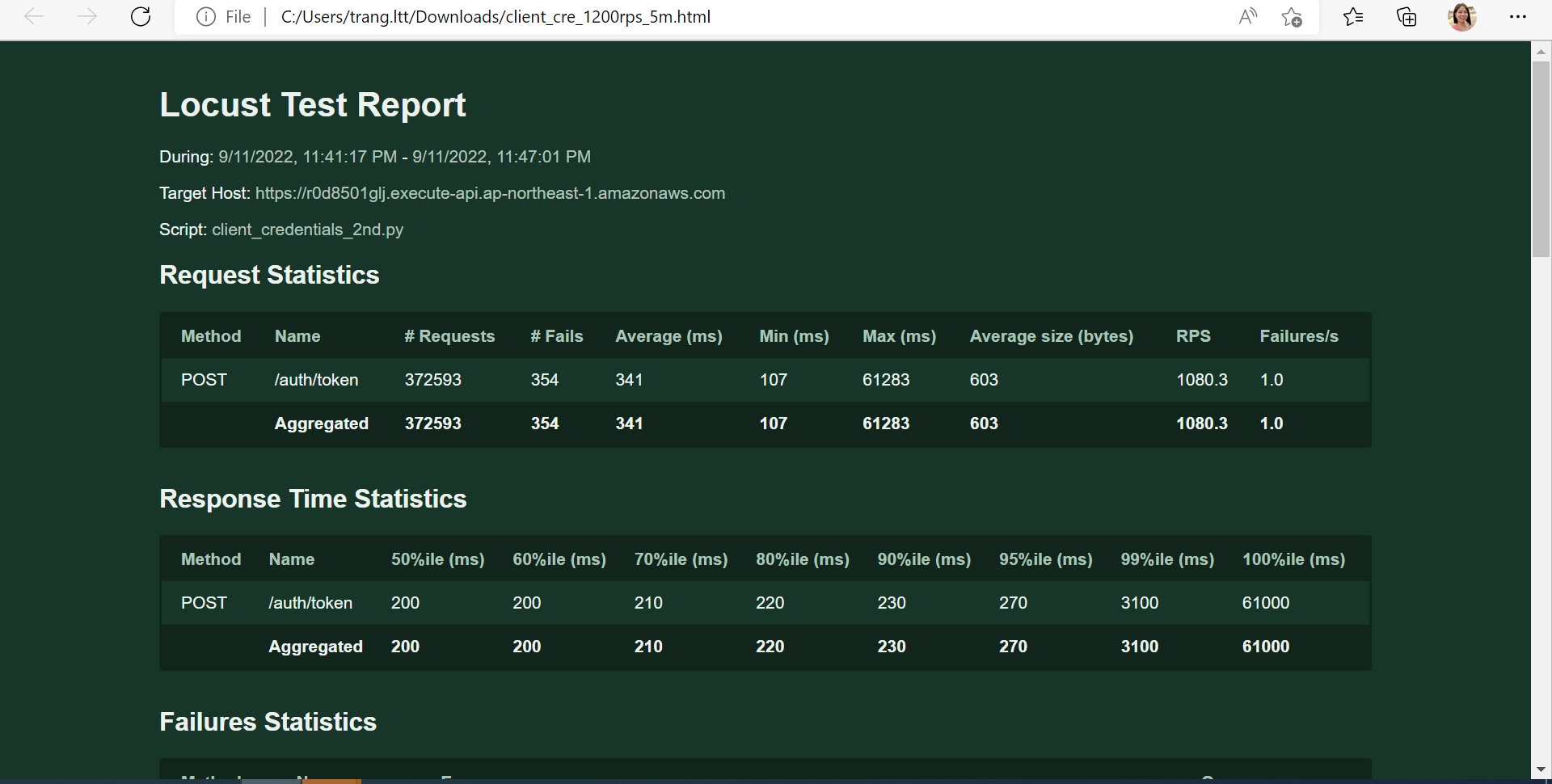
Appearance
Execute stress test
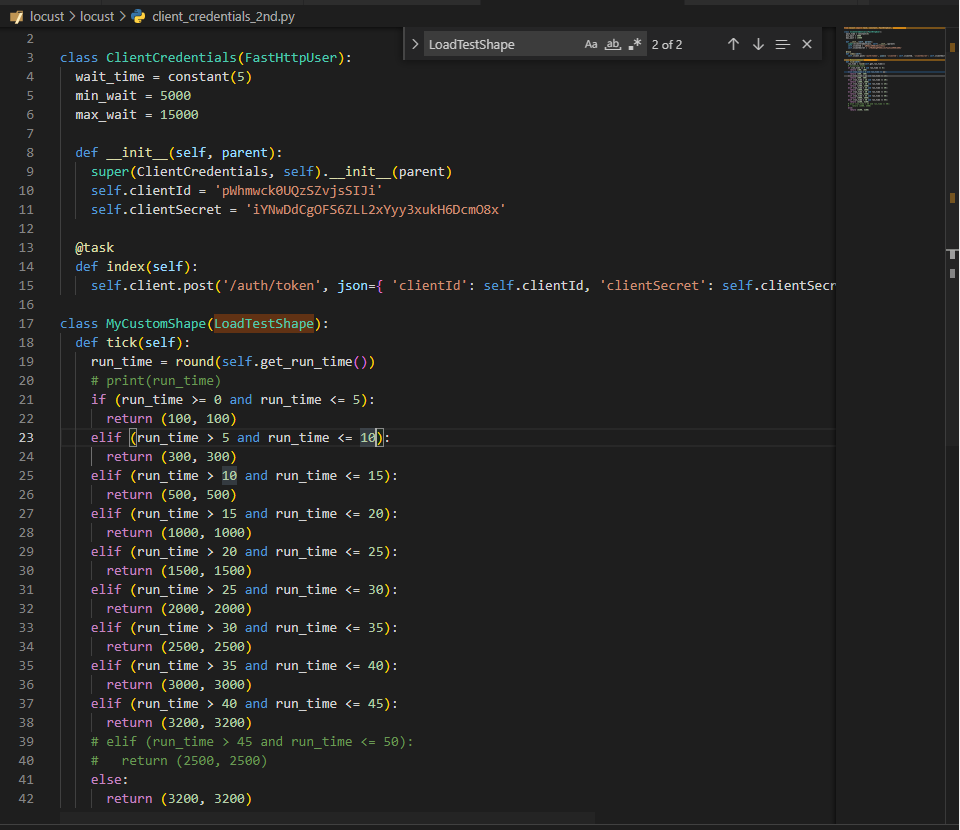
Step 1: Before running the Stress test, create a file (ex: “client_credentials_2nd.py”).
Refer: https://docs.locust.io/en/stable/custom-load-shape.html
We use the api: ‘auth/token’ with method “post” to create applicationLog to check ability to write and read.
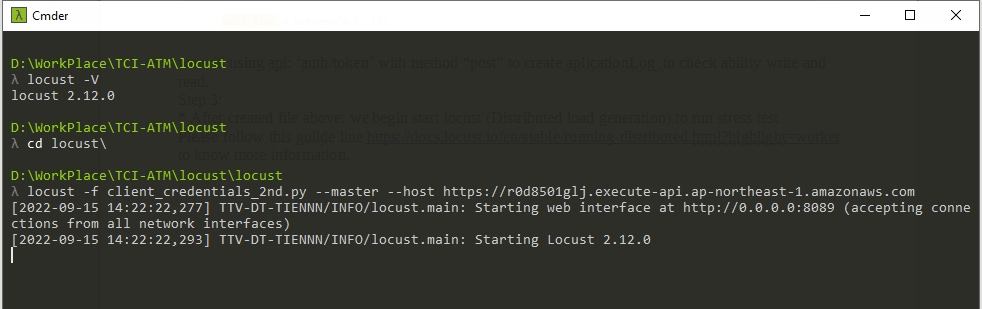
Step 2: After created the file above, we start Locust (Distributed load generation) to run stress test.
Refer: https://docs.locust.io/en/stable/running-distributed.html?highlight=worker
Step 3: Run 1600 users on worker No.1

Step 4: Run 1600 user on worker No. 2

Step 5: After run 2 workers above then access Locust site to verify they statuses by pressing the Start swarming button
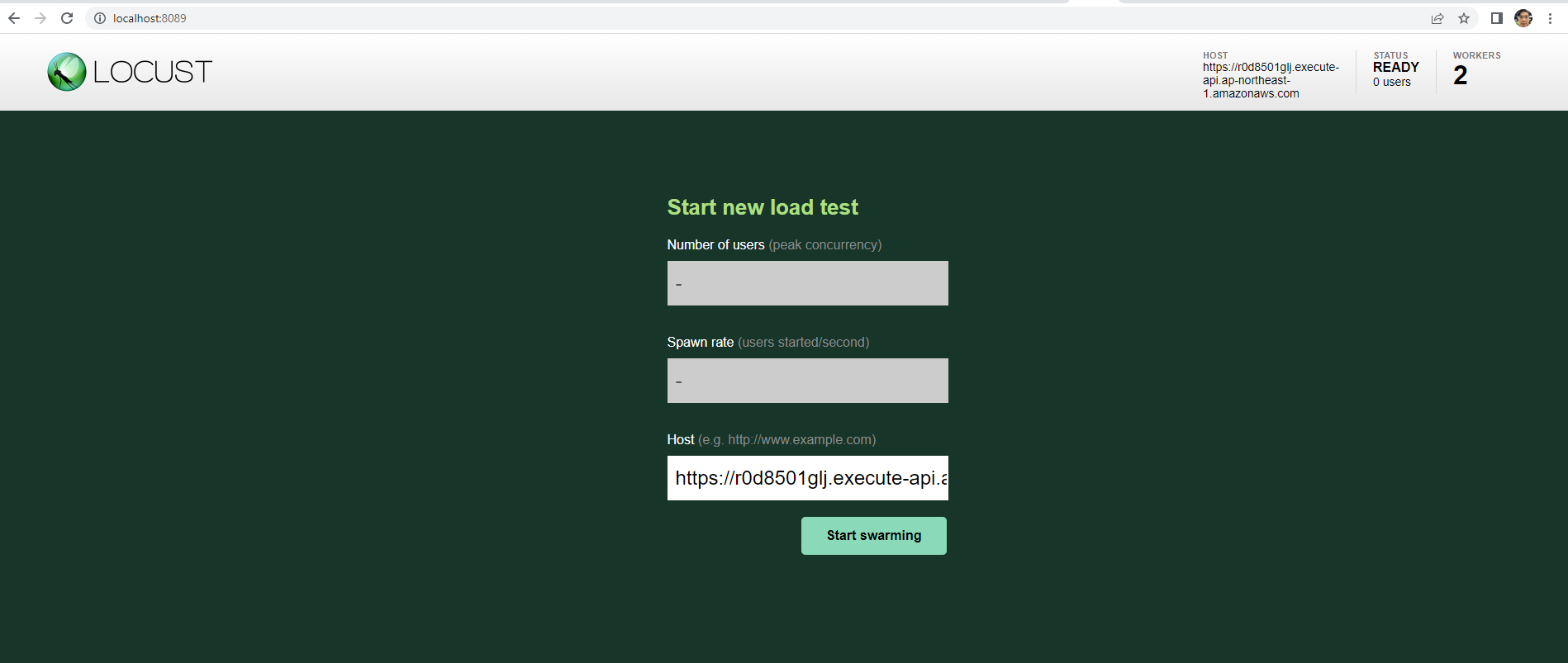
Step 6: If 2 workers are ready to run the Stress test

Step 7: There are 2 ways to get the Stress report.
- Option 1: Click on Chart item from the top menu
- Option 2: Click on Download Data item from the top menu